Merge Ninja Star 2
MOUSE_DUCK
Mar 29, 2020
Jun 19, 2025
147.84 MB
1.0.588
7.0
5,000,000+

Description
Super Simple Pixel Idle RPG: Merge Ninja Star 2!
Experience the fun chosen by 5,000,000 players!
Intense, thrilling impact!
Abundant costume!
Endlessly updated contents!!!
Enjoy diverse fun with simple controls!
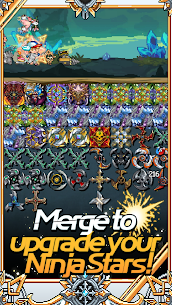
◆ Infinite Growth of Ninja Stars!
Combine Ninja Stars to make them stronger and stronger!
Who will be the first to obtain the ultimate Ninja Star?
◆ Constant Growth Even While Idling!
Your Ninja Stars and stages grow effortlessly while idling!
Growth continues even when your phone is off!
◆ Diverse Costumes!
Hundreds of stylish costumes!
Customize your character in your own unique style!
◆ Special and Awesome Companions!
Reliable companions who join on your adventures!
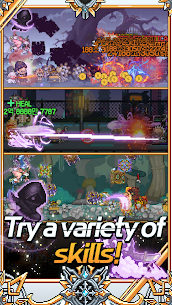
Explore with allies who have various abilities!
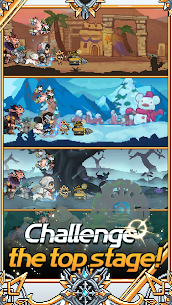
◆ Exciting and Varied Content!
Numerous elements are prepared for endless growth!
Enjoy diverse content and get higher rewards as you grow!
Check out other games by Mouseduck:
Legendary Block, Pigeon Raising, Merge Ninja Star, Merge Minicar, Gun and Girls, Raising Poseidon.
☆★ Inquiries & Bug Reports ☆★
Privacy Policy: https://cafe.naver.com/mouseduck/14440
Developer Community: http://cafe.naver.com/mouseduck.cafe
Contact: help@mouseduck.com
What's new
▶New Boss 'Parade Duck' Added
▶New Defense Battle Added
▶Ruby Mine Reorganization
▶Gold Enhancement Max Level Expansion
▶Pearl Enhancement Max Level Expansion
▶Time Piece Enhancement Max Level Expansion
▶Stone Enhancement Max Level Expansion
▶Character Awakening SSS Grade Added
▶Convenience Update
Video
Images


Download links
How to install Merge Ninja Star 2?
1. Download the ZIP file.
2. Install the Split APKs Installer application
3. Open the application and click on "Install APKs".
4. Find the folder where the downloaded ZIP is located and select it.
5. Follow the steps that appear on the screen.